
看累了听个音乐吧
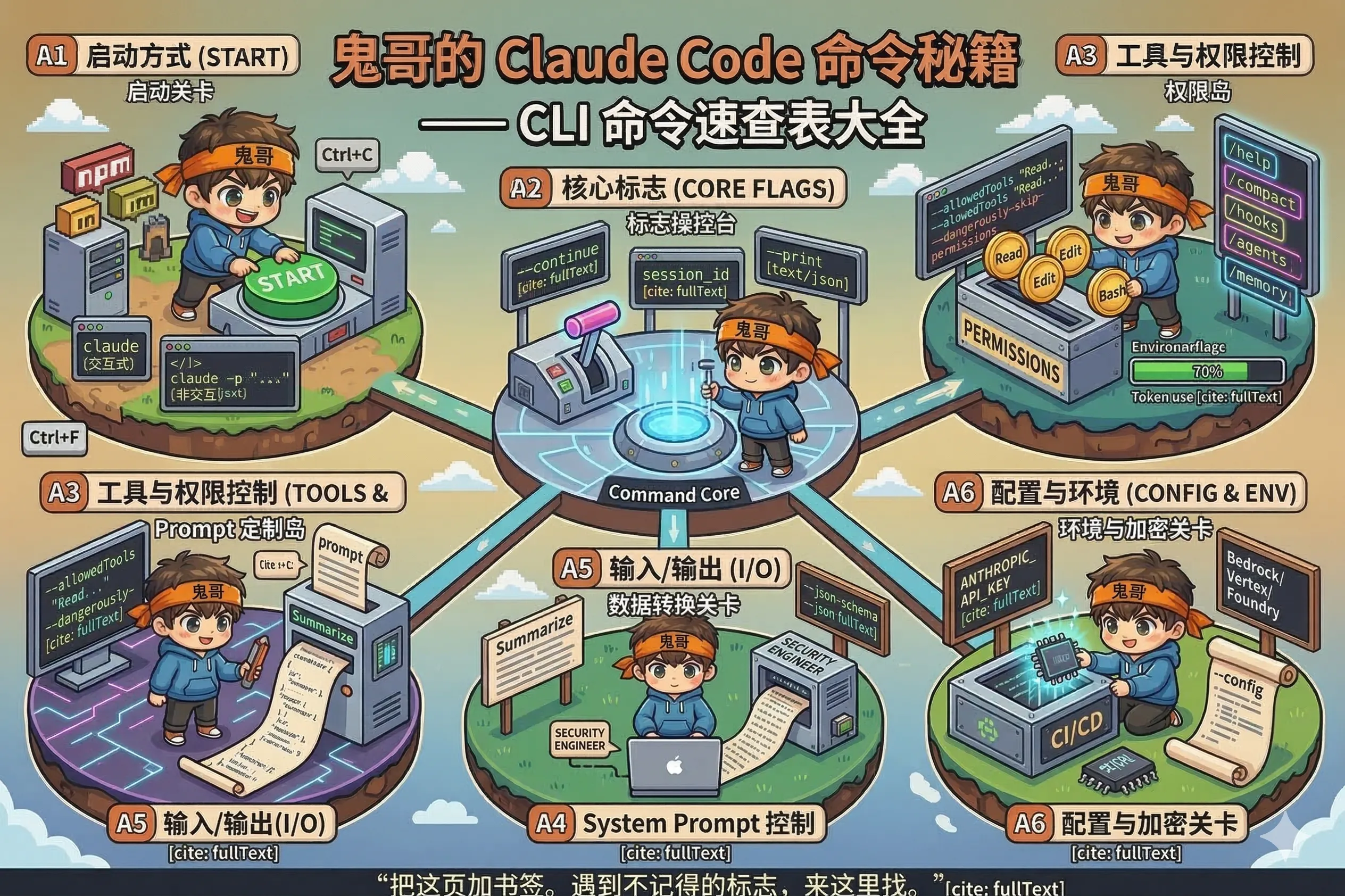
把这页加书签。遇到不记得的标志,来这里找。
claude                    # 交互式会话(最常用)
claude -p "prompt"        # 非交互模式,直接给 prompt
claude --continue         # 续接上次会话(交互式)
claude --resume <id>      # 续接指定 session ID
claude -p "..." --continue # 非交互模式续接| 标志 | 简写 | 说明 |
|---|---|---|
--print | -p | 非交互模式,直接输出结果 |
--continue | -c | 续接最近一次会话 |
--resume <id> | 续接指定 session ID | |
--output-format <fmt> | 输出格式:text(默认)/ json / stream-json | |
--json-schema <schema> | 强制结构化输出,配合 --output-format json 使用 | |
--max-turns <n> | 最大工具调用轮次(控制成本) | |
--verbose | 显示详细输出(工具调用、token 用量等) | |
--include-partial-messages | 流式模式下包含中间消息 |
| 标志 | 说明 |
|---|---|
--allowedTools <list> | 预先授权的工具列表(逗号分隔) |
--disallowedTools <list> | 禁止使用的工具列表 |
--dangerously-skip-permissions | ⚠️ 跳过所有权限确认(仅用于受控环境) |
工具名示例:
# 只允许读文件
--allowedTools "Read"

# 允许读写和 Bash(所有命令)
--allowedTools "Read,Edit,Write,Bash"

# 精细控制 Bash 子命令
--allowedTools "Read,Bash(git status *),Bash(git commit *)"| 标志 | 说明 |
|---|---|
--system-prompt <text> | 完全替换默认 system prompt |
--append-system-prompt <text> | 在默认 prompt 后追加 |
# 让 Claude 以安全工程师身份工作
claude -p "Review this PR" \
--append-system-prompt "You are a senior security engineer. Be strict."| 标志 | 说明 |
|---|---|
--input-format <fmt> | 输入格式:text(默认)/ stream-json |
--output-format <fmt> | 输出格式:text / json / stream-json |
# 从 stdin 读 prompt,输出 JSON
echo "Summarize this project" | claude -p --output-format json

# Git diff 管道 + 安全角色审查
git diff HEAD~1 | claude -p \
  --append-system-prompt "Focus on security vulnerabilities only." \
--output-format json | jq -r '.result'| 标志 / 环境变量 | 说明 |
|---|---|
--config <path> | 指定配置文件路径(覆盖默认位置) |
--cwd <path> | 指定工作目录 |
ANTHROPIC_API_KEY | API 密钥(CI 环境推荐) |
CLAUDE_CODE_USE_BEDROCK=1 | 使用 Amazon Bedrock |
CLAUDE_CODE_USE_VERTEX=1 | 使用 Google Vertex AI |
CLAUDE_CODE_USE_FOUNDRY=1 | 使用 Azure AI Foundry |
claude auth login          # 登录(OAuth,开浏览器)
claude auth logout         # 退出登录
claude auth status # 查看当前认证状态在交互式会话里输入,以 / 开头:
| 命令 | 说明 |
|---|---|
/help | 显示帮助 |
/clear | 清除对话历史 |
/compact | 手动触发 context 压缩 |
/hooks | 查看已配置的 hook 列表 |
/agents | 查看和管理子 agent |
/memory | 查看 Auto Memory 内容 |
/permissions | 查看当前权限设置 |
/status | 查看会话状态(token 用量等) |
/model <name> | 切换模型 |
Esc | 取消当前操作 |
Ctrl+C | 中断 Claude(两次退出会话) |
# 命令行启动时开启 Plan Mode
claude --plan

# 交互式会话里切换
/plan on
/plan off
Plan Mode 下 Claude 只分析不执行——给你看计划,确认后才动手。
claude agents              # 列出所有可用的子 agent
# 交互式管理:
/agents # 打开 agent 管理界面--output-format json 的响应字段:
{
  "result": "Claude 的回答(纯文本)",
  "session_id": "sess_abc123...",
  "cost_usd": 0.0032,
  "duration_ms": 4200,
  "num_turns": 2,
  "is_error": false,
  "structured_output": { ... }  // 仅当使用 --json-schema 时
}# 分析项目并拿 JSON 结果
claude -p "Summarize the architecture of this project" \
--allowedTools "Read,Bash(find *)" \
--output-format json | jq -r '.result'
# PR diff 安全审查
gh pr diff 42 | claude -p \
--append-system-prompt "Security review only. Be concise." \
--output-format json | jq -r '.result'
# 批量提交生成
git diff --staged | claude -p "Write a conventional commit message for these changes"
# 续接会话做深度分析
SESSION=$(claude -p "Analyze the auth module" --output-format json | jq -r '.session_id')
claude -p "Now check for security vulnerabilities in what you just analyzed" \
--resume "$SESSION" --output-format json | jq -r '.result'