
看累了听个音乐吧
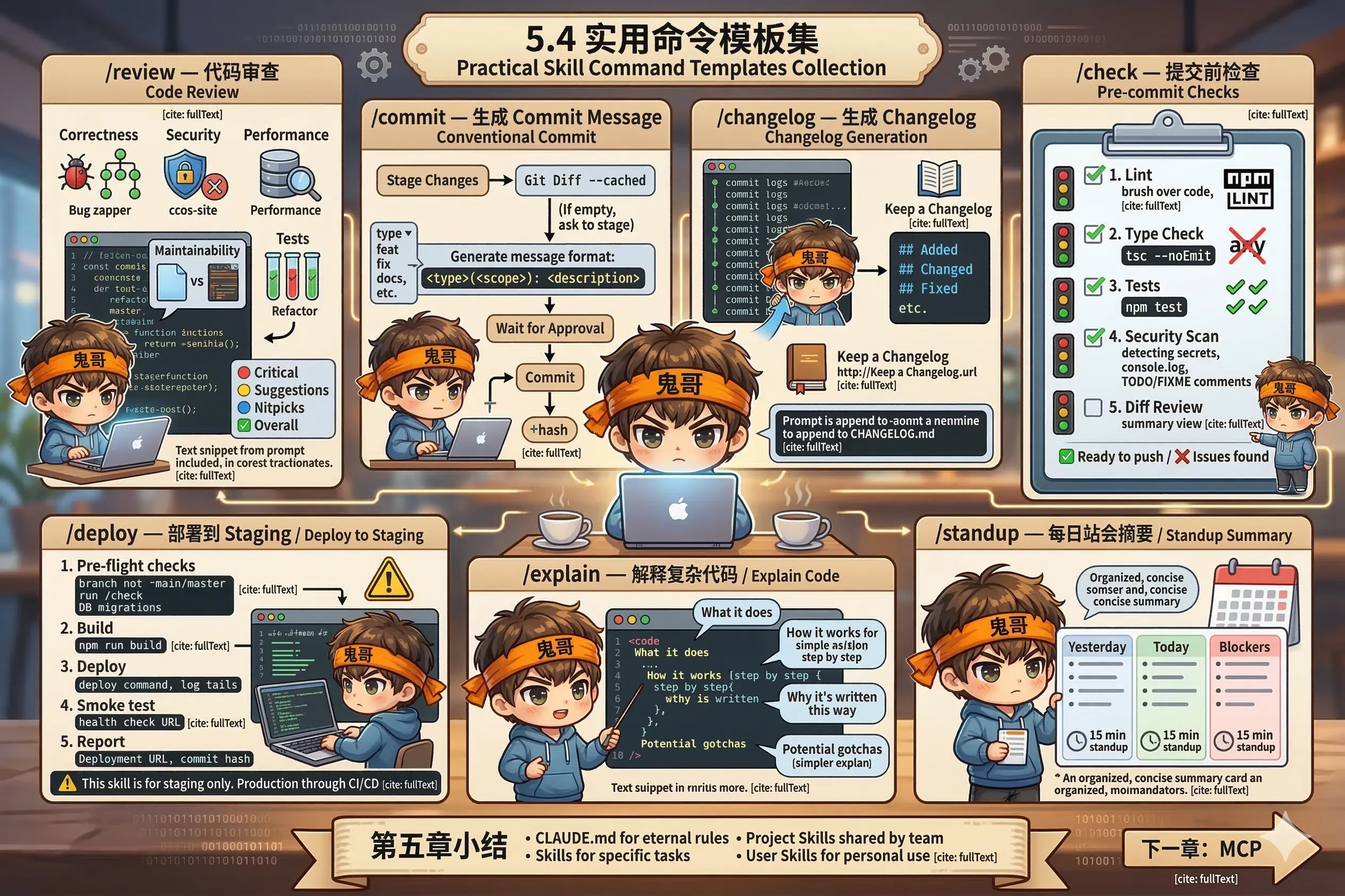
以下是一套可以直接拿去用的 Skill 模板,覆盖日常开发最常见的场景。
根据你的项目情况调整细节,然后保存到 .claude/skills/ 目录下即可。
/review — 代码审查 ---
name: review
description: Review code changes following team standards
---
Review the changes in: $ARGUMENTS
If no argument provided, review the current git diff (staged + unstaged).
Perform a thorough code review checking:
**Correctness**
- Logic errors or edge cases not handled
- Off-by-one errors, null/undefined handling
- Async/await issues, unhandled promise rejections
**Security**
- SQL injection, XSS, CSRF vulnerabilities
- Authentication and authorization checks
- Sensitive data exposure (tokens, passwords in logs)
- Input validation and sanitization
**Performance**
- N+1 query problems
- Unnecessary re-renders or re-computations
- Missing indexes for database queries
- Large payload sizes
**Maintainability**
- Functions doing too many things (> 30 lines is a smell)
- Duplicated logic that could be extracted
- Missing or misleading comments on complex logic
**Tests**
- Are new/changed behaviors covered by tests?
- Are edge cases tested?
Format output as:
### 🔴 Critical (must fix)
### 🟡 Suggestions (should fix)
### 🔵 Nitpicks (optional)
### ✅ Overall: [Approve / Request Changes]/commit — 生成 Commit Message ---
name: commit
description: Generate a conventional commit message and commit
---
Review staged changes with `git diff --cached`.
If nothing is staged, show unstaged changes and ask which files to stage.
Generate a commit message following Conventional Commits specification:
**Format:** `<type>(<scope>): <description>`
**Types:** feat | fix | docs | style | refactor | test | chore | perf | ci
**Rules:**
- Description: imperative mood, lowercase, no period, max 72 chars
- Scope: the module/component affected (optional but recommended)
- Body: explain WHY if the change is non-obvious (separate with blank line)
- Footer: reference issues with "Closes #123" or "Fixes #456"
Show the proposed message and wait for approval before committing.
After committing, show the commit hash./changelog — 生成 Changelog ---
name: changelog
description: Generate changelog entries from recent commits
---
Generate changelog entries for: $ARGUMENTS
If no argument, use commits since the last git tag.
Run `git log <last-tag>..HEAD --oneline` to get recent commits.
Group changes into sections:
## Added
## Changed
## Fixed
## Deprecated
## Removed
## Security
Follow Keep a Changelog format (https://keepachangelog.com).
Rules:
- Write for humans, not machines (summarize intent, not implementation)
- Skip chore/style/refactor commits unless user-facing
- Merge related commits into single entries
- Use present tense: "Add", "Fix", "Update"
Output ready-to-paste markdown. Ask if I want to append it to CHANGELOG.md./check — 提交前检查 ---
name: check
description: Run pre-commit checks before pushing
---
Run the full pre-commit checklist:
1. **Lint**: run `npm run lint` (or equivalent from CLAUDE.md)
- If errors: fix them automatically where possible
- Report anything that needs manual attention
2. **Type check**: run `npx tsc --noEmit`
- Fix type errors, do not use `any` as a shortcut
3. **Tests**: run `npm test`
- If failures: investigate and fix
- Report if a test failure is pre-existing (not caused by current changes)
4. **Security scan**: check for common issues
- Hardcoded secrets or API keys
- console.log statements that shouldn't be in production
- TODO/FIXME comments in new code
5. **Diff review**: show a summary of all changes
- Anything that looks unintentional?
Report results for each step. Only proceed to the next if the current one passes.
Final summary: ✅ Ready to push / ❌ Issues found./deploy — 部署到 Staging ---
name: deploy
description: Deploy to staging environment with pre-flight checks
---
Deploy the current branch to staging. Steps:
1. **Pre-flight checks**
- Confirm current branch is not `main` or `master`
- Run `/check` to verify code quality
- Check for any pending database migrations
2. **Build**
- Run `npm run build`
- Verify build succeeds without warnings
3. **Deploy**
- Run the deployment command: `[your deploy command here]`
- Tail the deployment logs
4. **Smoke test**
- Hit the health check endpoint
- Verify the deployed version matches the current commit
5. **Report**
- Deployment URL
- Commit hash deployed
- Any issues encountered
If any step fails, stop and report the error. Do not proceed to the next step.
⚠️ This skill is for staging only. Production deployments go through CI/CD./explain — 解释复杂代码 ---
name: explain
description: Explain a piece of code in plain language
---
Explain the code in: $ARGUMENTS
Structure the explanation as:
**What it does** (1-2 sentences, no jargon)
**How it works** (step by step, like explaining to a junior dev)
**Why it's written this way** (design decisions, tradeoffs)
**Potential gotchas** (things that might trip someone up)
If the code has known issues or smells, mention them at the end
but don't fix them unless asked./standup — 生成每日站会摘要 ---
name: standup
description: Generate a daily standup summary from recent git activity
---
Generate a standup summary based on my recent work.
Run:
- `git log --author="$(git config user.name)" --since="yesterday" --oneline`
- `git diff --stat HEAD~5..HEAD`
Format as:
**Yesterday**
[what I completed, based on commits]
**Today**
[what's in progress or next up, based on open branches/uncommitted work]
**Blockers**
[anything that looks stuck or needs attention]
Keep it concise — this is for a 15-minute standup, not a novel.@CLAUDE.md 引用团队规范 — 避免在每个 Skill 里重复写<!-- 最后更新:日期 --> 注释 — 方便团队知道是否还有效Skills 是让 Claude Code 真正融入你工作流的关键:
模板拿去用,出了效果记得回来改进它 🐾
下一章,我们来聊 MCP——让 Claude Code 连接外部世界的方式。