
看累了听个音乐吧
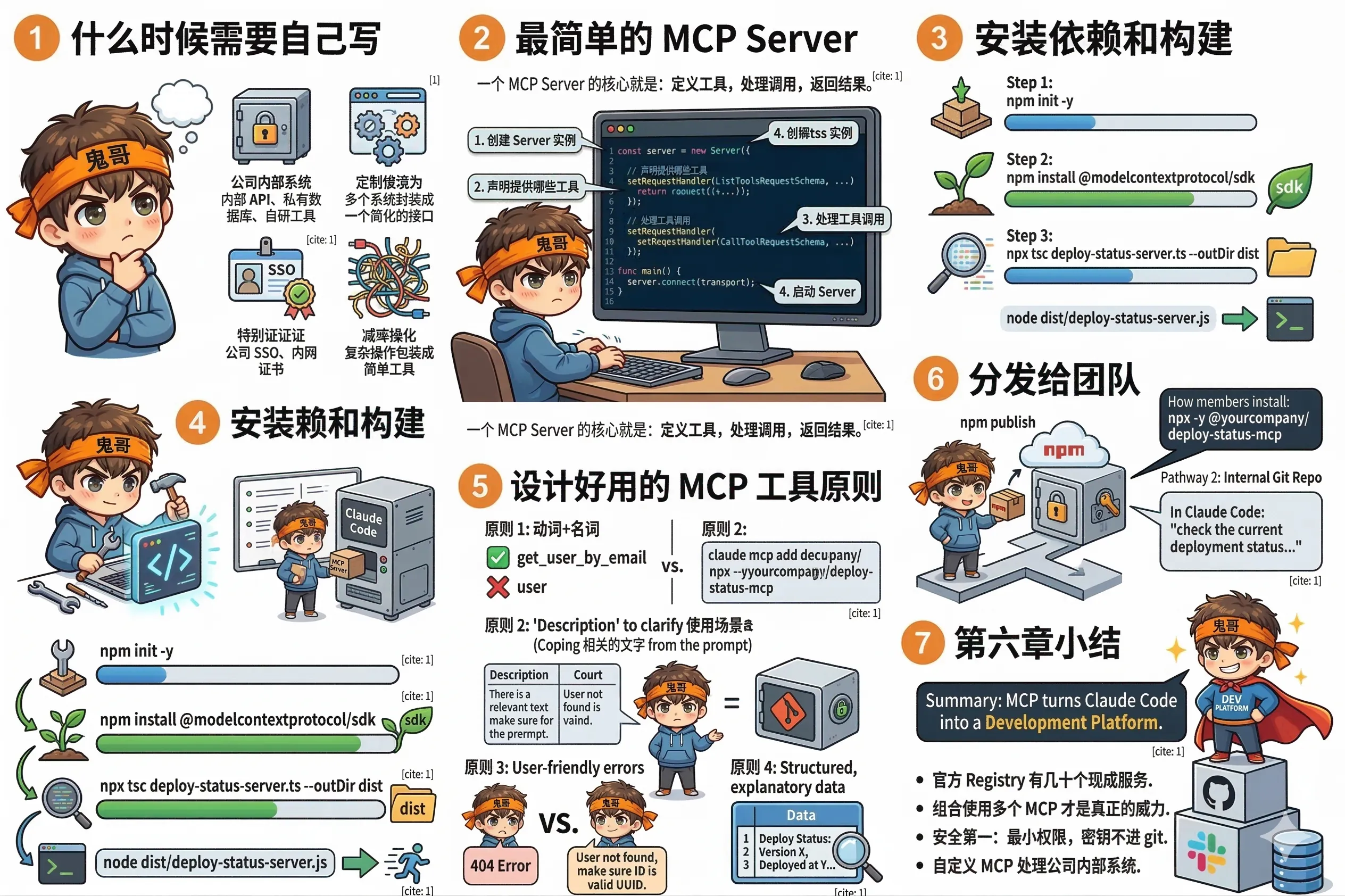
官方 Registry 里已经有几十个现成的 MCP Server,大多数常见需求都能覆盖。
但有些情况下你需要自己动手:
一个 MCP Server 的核心就是:定义工具,处理调用,返回结果。
下面是一个完整的最小示例,提供一个 get_deploy_status 工具,查询内部部署系统的状态:
// deploy-status-server.ts
import { Server } from "@modelcontextprotocol/sdk/server/index.js";
import { StdioServerTransport } from "@modelcontextprotocol/sdk/server/stdio.js";
import {
  CallToolRequestSchema,
  ListToolsRequestSchema,
} from "@modelcontextprotocol/sdk/types.js";

// 1. 创建 Server 实例
const server = new Server(
  { name: "deploy-status", version: "1.0.0" },
  { capabilities: { tools: {} } }
);

// 2. 声明提供哪些工具
server.setRequestHandler(ListToolsRequestSchema, async () => ({
  tools: [
    {
      name: "get_deploy_status",
      description: "Get the current deployment status for an environment",
      inputSchema: {
        type: "object",
        properties: {
          environment: {
            type: "string",
            enum: ["staging", "production"],
            description: "The environment to check",
          },
        },
        required: ["environment"],
      },
    },
  ],
}));

// 3. 处理工具调用
server.setRequestHandler(CallToolRequestSchema, async (request) => {
  if (request.params.name === "get_deploy_status") {
    const env = request.params.arguments?.environment as string;

    // 调用你的内部 API
    const status = await fetchInternalDeployStatus(env);

    return {
      content: [
        {
          type: "text",
          text: JSON.stringify(status, null, 2),
        },
      ],
    };
  }
  throw new Error(`Unknown tool: ${request.params.name}`);
});

// 4. 启动 Server
async function main() {
  const transport = new StdioServerTransport();
  await server.connect(transport);
}

main();

// 你的内部 API 调用逻辑
async function fetchInternalDeployStatus(env: string) {
  const response = await fetch(
    `${process.env.INTERNAL_API_URL}/deploys/${env}/status`,
    { headers: { Authorization: `Bearer ${process.env.INTERNAL_API_TOKEN}` } }
  );
  return response.json();
}
就这些。一个完整的、可用的 MCP Server。
# 初始化项目
npm init -y
npm install @modelcontextprotocol/sdk

# 编译
npx tsc deploy-status-server.ts --outDir dist

# 测试运行
node dist/deploy-status-server.jsclaude mcp add deploy-status --transport stdio \
--env INTERNAL_API_URL=https://deploy.internal.company.com \
--env INTERNAL_API_TOKEN=your-token \
-- node /path/to/dist/deploy-status-server.js注册后,在 Claude Code 里就能用了:
check the current deployment status for both staging and production.
if there's a version mismatch, tell me which commit is on each工具名要动词+名词
好:get_user_by_email、create_jira_issue、list_recent_errors 差:user、jira、errors
description 要说清楚"什么时候用"
Claude Code 通过 description 判断应该调用哪个工具。写清楚适用场景比写功能描述更有用:
description: "Use this when you need to look up a user's account details.
  Returns profile, subscription status, and recent activity.
  Do NOT use for bulk lookups — call individually for each user."
错误信息要对人友好
// 不好
throw new Error("404");

// 好
throw new Error(
  `User ${userId} not found. Make sure the user ID is a valid UUID format.`
);
返回结构化数据,加上解释
return {
  content: [{
    type: "text",
    text: `Deploy status for ${env}:
- Version: ${status.version}
- Deployed at: ${status.deployedAt}
- Status: ${status.healthy ? "✅ Healthy" : "❌ Unhealthy"}
- Last deploy by: ${status.deployedBy}

Raw data:
${JSON.stringify(status, null, 2)}`
  }]
};如果你写的 MCP Server 要给整个团队用,有两种方式:
方式一:发布到 npm
npm publish --access public团队成员安装时:
claude mcp add deploy-status --transport stdio \
  -- npx -y @yourcompany/deploy-status-mcp
方式二:放进公司内部 git 仓库
把 MCP Server 的代码放进公司的内部 git,在 README 里写清楚怎么安装和配置。团队成员 clone 下来,npm install,然后用绝对路径注册。
MCP 是 Claude Code 从"编程助手"升级为"开发平台"的关键:
下一章,我们把 Claude Code 接入 GitHub 工作流,让 AI 自动参与你的 PR 和 Issue 流程。