
看累了听个音乐吧
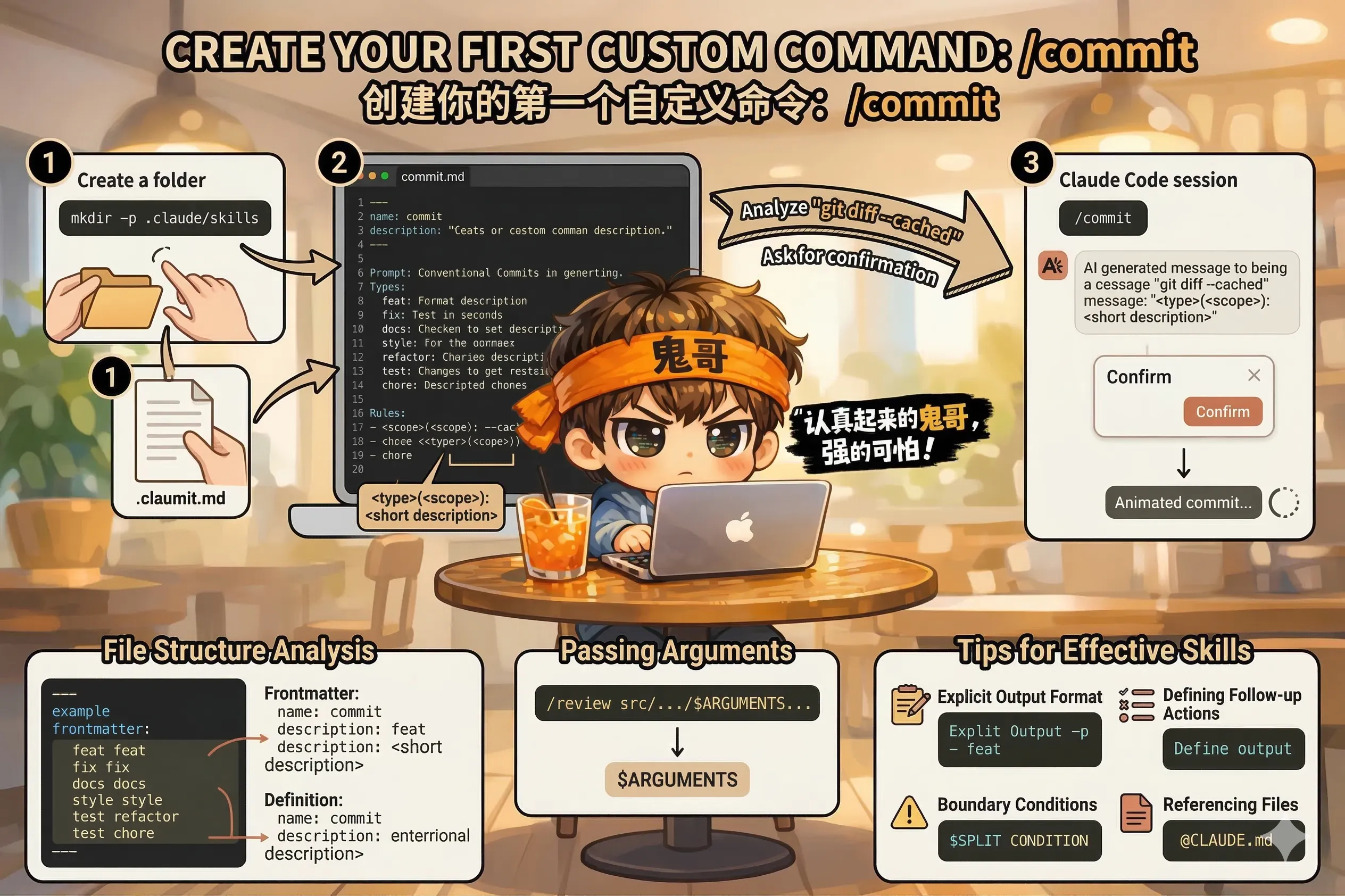
/commit 命令 我们从一个高频需求开始:生成 git commit message。
很多团队有自己的 commit 规范——比如 Conventional Commits(feat:, fix:, chore: 这套)。每次提交都要想措辞,还要符合规范,有点烦。把它做成一个命令。
在项目根目录下创建 .claude/skills/ 目录和命令文件:
mkdir -p .claude/skills
touch .claude/skills/commit.md用你喜欢的编辑器打开 .claude/skills/commit.md,写入:
---
name: commit
description: Create a git commit following Conventional Commits format
---

Review the staged changes with `git diff --cached`.
If nothing is staged, check unstaged changes with `git diff`.

Create a commit message following Conventional Commits:

Format: <type>(<scope>): <short description>

Types:
- feat: new feature
- fix: bug fix
- docs: documentation only
- style: formatting, no logic change
- refactor: code restructure, no behavior change
- test: adding or updating tests
- chore: build process, dependency updates

Rules:
- Subject line: max 72 characters, lowercase, no period at end
- If changes are complex, add a blank line then a body explaining WHY
- Reference issue numbers at the bottom if relevant: "Closes #123"

After showing the proposed message, ask for confirmation before committing.在 Claude Code 会话里,staged 一些改动之后,直接输入:
/commitClaude Code 会读取 git diff --cached,分析改动,按照你定义的规范生成 commit message,然后等你确认。
一个 Skill 文件由两部分组成:
---
name: commit          ← 命令名,/commit 调用这个
description: ...      ← 什么时候使用这个 Skill(Claude 自动判断时参考)
---

[这里是 Skill 的正文,告诉 Claude Code 收到命令后要做什么]frontmatter(--- 之间的部分):
name:命令名,必填,影响用 /xxx 调用的名字description:描述这个命令的用途,建议写清楚,Claude Code 在自动决策时会参考这个正文: 就是普通的 Markdown 文本,写什么、用什么格式都行。越清楚,执行越准确。
自定义命令还支持接受参数。比如你想让 /review 接受一个文件路径:
/review src/services/PaymentService.ts在 Skill 文件里用 $ARGUMENTS 接收:
---
name: review
description: Review a specific file or the current diff
---

Review the code in: $ARGUMENTS

If $ARGUMENTS is empty, review the current git diff instead.

Check for: [审查清单...]
$ARGUMENTS 会被替换成你在命令后面输入的内容。
1. 明确输出格式
不要只说"分析一下",要说"用这个格式输出":
Output format:
## Summary
[one paragraph]

## Issues Found
- [issue 1]: [description] (file:line)
- [issue 2]: ...

## Recommendation
[approve / request changes]
2. 加上"做完后做什么"
After completing the review:
1. Show the full report
2. Ask if any issue needs immediate fixing
3. If yes, switch to fix mode and address it
3. 给边界条件
If there are no staged changes, say so and ask
whether to review the last commit instead.
4. 引用外部文件
Follow the coding standards defined in @CLAUDE.md
and the API conventions in @docs/api-guide.md创建好之后,在 Claude Code 里输入 / 可以看到所有可用命令的列表,确认你的命令出现了。
然后实际触发一次,看看执行结果是否符合预期。如果不符合,直接编辑 Skill 文件调整,不需要重启 Claude Code——下次调用就会用新版本。
下一节,我们来把 Skill 放进版本控制,让整个团队都能用。