
看累了听个音乐吧
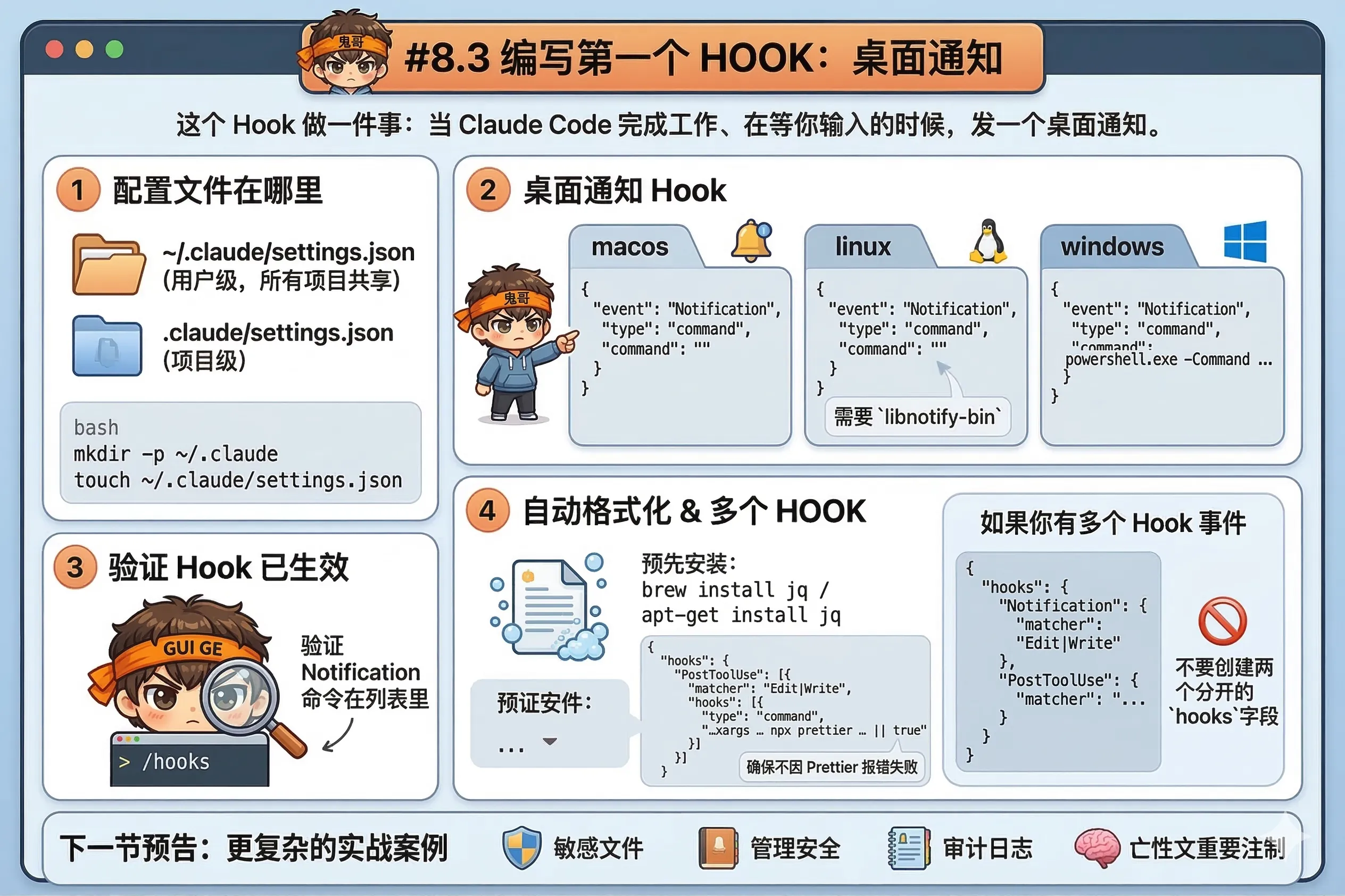
这个 Hook 做一件事:当 Claude Code 完成工作、在等你输入的时候,发一个桌面通知。
为什么先从这个开始?因为它:
Hook 配置写在 ~/.claude/settings.json(用户级,所有项目共享)或 .claude/settings.json(项目级)。
如果文件不存在,新建一个:
mkdir -p ~/.claude
touch ~/.claude/settings.json打开 ~/.claude/settings.json,添加:
macOS:
{
  "hooks": {
    "Notification": [
      {
        "matcher": "",
        "hooks": [
          {
            "type": "command",
            "command": "osascript -e 'display notification \"Claude Code needs your attention\" with title \"Claude Code\"'"
          }
        ]
      }
    ]
  }
}
Linux(需要 libnotify-bin):
{
  "hooks": {
    "Notification": [
      {
        "matcher": "",
        "hooks": [
          {
            "type": "command",
            "command": "notify-send 'Claude Code' 'Claude Code needs your attention'"
          }
        ]
      }
    ]
  }
}
Windows(PowerShell):
{
  "hooks": {
    "Notification": [
      {
        "matcher": "",
        "hooks": [
          {
            "type": "command",
            "command": "powershell.exe -Command \"[System.Reflection.Assembly]::LoadWithPartialName('System.Windows.Forms'); [System.Windows.Forms.MessageBox]::Show('Claude Code needs your attention', 'Claude Code')\""
          }
        ]
      }
    ]
  }
}
保存之后,新启动一个 Claude Code 会话,让它做点什么,然后离开屏幕去喝杯水——做完了你就会收到通知。
在 Claude Code 会话里输入:
/hooks会打开一个交互式界面,显示所有已配置的 Hook 事件和对应的命令。找到 Notification,确认你的命令在列表里。
文件改完自动跑 Prettier,不用再手动格式化。
这个 Hook 用到了 jq 来解析 JSON 输入(从 stdin 读取工具参数)——确认安装了:
# macOS
brew install jq

# Ubuntu/Debian
apt-get install jq
在 .claude/settings.json(项目级)里添加:
{
  "hooks": {
    "PostToolUse": [
      {
        "matcher": "Edit|Write",
        "hooks": [
          {
            "type": "command",
            "command": "jq -r '.tool_input.file_path' | xargs -I {} sh -c 'npx prettier --write \"{}\" 2>/dev/null || true'"
          }
        ]
      }
    ]
  }
}
这个 Hook 在每次 Edit 或 Write 工具调用后触发,从 JSON 里提取文件路径,传给 Prettier 格式化。
注意末尾的 || true:Prettier 对不支持的文件类型会报错,加上 || true 确保 Hook 不会因为 Prettier 报错而让整个操作失败。
同一个 settings.json 里可以配置多个事件,合并到一个 hooks 对象里:
{
  "hooks": {
    "Notification": [
      {
        "matcher": "",
        "hooks": [
          {
            "type": "command",
            "command": "osascript -e 'display notification \"Claude Code needs your attention\" with title \"Claude Code\"'"
          }
        ]
      }
    ],
    "PostToolUse": [
      {
        "matcher": "Edit|Write",
        "hooks": [
          {
            "type": "command",
            "command": "jq -r '.tool_input.file_path' | xargs -I {} sh -c 'npx prettier --write \"{}\" 2>/dev/null || true'"
          }
        ]
      }
    ]
  }
}
不要创建两个分开的 hooks 字段——JSON 里重复的键只有最后一个生效。
下一节,更复杂的实战案例:保护敏感文件、审计日志、上下文重注入。